DALI Lighting Control Explained: How It Works
DALI lighting control is an open, digital standard for dimming and switching light fixtures individually over a single two-wire bus. Each fixture's driver carries a digital address, so a controller can command one fixture, a group, or all of them at once — and read their status back. That two-way, addressable design is what separates DALI from a plain analog dimming line.
MESHLE runs DALI wirelessly, bridging an existing bus onto a self-healing Bluetooth Mesh — more on that below. First, the fundamentals: what DALI is, how the bus and addressing work, how DALI compares to 0–10V and to building systems like KNX, and how to run DALI control over a wireless network instead of pulling a bus to every fixture.
What is DALI lighting control?
DALI stands for Digital Addressable Lighting Interface. It's defined by the open international standard IEC 62386, which means drivers, controllers, and sensors from different manufacturers are built to talk to each other. No single vendor owns it.
Addressable is the part that does the work. On an old analog dimming line, one control signal sets the level for everything wired to it — every fixture on that circuit does the same thing. DALI is digital and two-way. Each fixture gets its own address, so the controller can set fixture 7 to 30%, fixture 8 to full, and leave fixture 9 off, all on the same pair of wires. The same wires carry status back the other way, so the controller knows what each fixture is actually doing.
Because it's a published standard rather than a proprietary system, DALI gives you a stable base to build on. The LED drivers inside the fixtures, the sensors, and the controller can all come from different suppliers and still work as one system.
From DALI to DALI-2 to D4i
The original DALI (now called DALI-1) defined the basic digital dimming interface. It worked, but compatibility between brands was uneven, because the standard left room for interpretation.
DALI-2 tightened that up. It added mandatory certification through the DALI Alliance, backed by a public product database, so a certified DALI-2 device has been tested against the standard rather than just claimed to fit it. DALI-2 also standardized input devices — sensors, push-buttons, wall controls — which the first version had left largely undefined.
D4i came next, aimed at outdoor and connected luminaires. It extends DALI so the intelligence lives inside the fixture: a D4i driver stores and reports its own data over the same bus. The D4i standard also defines how in-fixture energy and diagnostic data is carried across the bus, which is why it's common in streetlighting and other connected-luminaire applications.
How DALI lighting control works
DALI is a command-and-response system. A controller issues a command, addressed drivers act on it, and drivers report their state back. The parts that make that work:
The components
A DALI system has a few distinct parts:
- Application controller — the brain. It holds the logic, sends commands, and reacts to inputs. This can be a dedicated controller, a building gateway, or a wireless bridge.
- DALI power supply (PSU) — the bus needs its own low-voltage power to carry the digital signal. This is separate from the mains that powers the fixtures.
- DALI drivers (control gear) — built into each fixture. The driver receives commands, dims or switches the LED, and reports back. This is where the fixture's address lives.
- Input devices — sensors and switches (occupancy, daylight, wall buttons) that feed events into the controller. Under DALI-2, these are standardized.
The DALI bus
The DALI bus is deliberately forgiving to install. It's two wires, low voltage, and polarity-free — you don't have to worry about which wire is which, which cuts wiring mistakes on site. A single line runs up to roughly 300 metres.
There's no strict wiring pattern. You can run the bus as a line, a tree, or a star — whatever suits the building — as long as you avoid a closed ring. The control pair usually runs right alongside the mains cabling to the fixtures, so connecting the luminaires doesn't mean a separate cable route. Two conductors carry both power for the signal and the data itself.
Addressing: individual, group, broadcast
Addressing is what DALI buys you over analog. A single line supports:
- 64 short addresses (0–63) — one per driver, for individual control. This is how you talk to a single fixture.
- 16 groups — a driver can belong to one or more groups, so "all fixtures in the meeting room" is one command instead of sixteen. Groups are software, so you regroup by re-commissioning, not re-wiring.
- 16 scenes — a stored set of levels recalled with a single command, for example a "presentation" scene that dims the front row and holds the back at full.
- Broadcast — one command to every driver on the line at once, regardless of address. Useful for an all-on or all-off.
That layering — one, some, all — is what makes DALI flexible. Change how a space is used, and you regroup or reprogram scenes in software instead of pulling cable.
Two-way communication
On a one-way analog line, the controller sends a level and has no way to know whether a fixture actually responded. DALI drivers talk back. A driver can report its on/off state, its current level, and a lamp or driver failure.
That feedback changes what the system can do. A facility manager sees which fixture has failed and where, instead of walking the floor to find the dark spot. Status can flow up into a building management system for monitoring, so faults show up on a screen rather than in a complaint.
DALI vs 0–10V vs analog dimming
0–10V is the classic analog dimming method, and it's still the right answer for plenty of jobs: cheap, simple, no commissioning. But it's one-way and it dims by circuit, not by fixture.
| DALI | 0–10V / analog | |
|---|---|---|
| Wiring | 2-wire, polarity-free, line/tree/star | Separate control pair, polarity-sensitive |
| Addressing | Individual (64), groups (16), scenes (16), broadcast | By circuit only — one signal per dimming line |
| Feedback | Two-way: status, level, lamp failure | None — one-way signal |
| Dimming quality | Digital levels, consistent across drivers | Analog, can vary between fixtures and drivers |
| Reconfiguration | In software (regroup, rescene) | Requires re-wiring |
| Cost / complexity | Higher; needs a PSU and commissioning | Lower; no commissioning |
Use 0–10V for a single dimming zone where cost and simplicity win. Use DALI when you need per-fixture control, feedback, or the freedom to reconfigure a space without touching the cabling.
DALI-2 and D4i explained
DALI-2 and D4i both build on the same base, but they solve different problems.
DALI-2 is about interoperability and trust. Certification is mandatory and administered by the DALI Alliance, with results in a public database, so a DALI-2 logo means the device passed a defined test suite. DALI-2 also brought input devices — sensors and controls — into the standard, so a certified sensor from one brand works with a certified controller from another.
D4i is about putting intelligence in the fixture. A D4i driver carries its own data over the bus, so the luminaire becomes a self-describing, connected node. Within the standard, drivers are classified by device type: DT6 is the standard LED driver profile, and DT8 covers colour and tunable-white drivers (the profile a system uses to control colour temperature or RGB). D4i is widely used in streetlighting and outdoor luminaires, where in-fixture data matters.
| DALI-1 | DALI-2 | D4i | |
|---|---|---|---|
| Certification | None mandated | Mandatory, DALI Alliance database | Built on DALI-2, extended for luminaires |
| Input devices | Not standardized | Standardized (sensors, switches) | Same as DALI-2 |
| Fixture data | Basic control | Basic control | Data and diagnostics carried in the fixture |
| Typical use | Legacy installs | Indoor commercial | Connected and outdoor luminaires |
DALI vs KNX, Zigbee, and BACnet
These get compared as competitors, but they work at different levels.
DALI is the lighting bus at the luminaire. It's the layer that actually talks to drivers.
KNX and BACnet™ are building buses. They coordinate lighting alongside HVAC, blinds, access, and metering across a whole building. DALI plugs into them through a gateway: the building system issues a high-level command, and the gateway translates it onto the DALI line. DALI handles the fixtures; KNX or BACnet™ handles the building.
Zigbee and BLE are wireless. Where DALI runs over wires, these carry lighting control over radio, which is what makes wireless and retrofit installations possible.
So the real relationship is layered: wireless or wired transport carries the control, DALI addresses the fixtures, and a building bus like KNX or BACnet™ ties lighting into everything else.
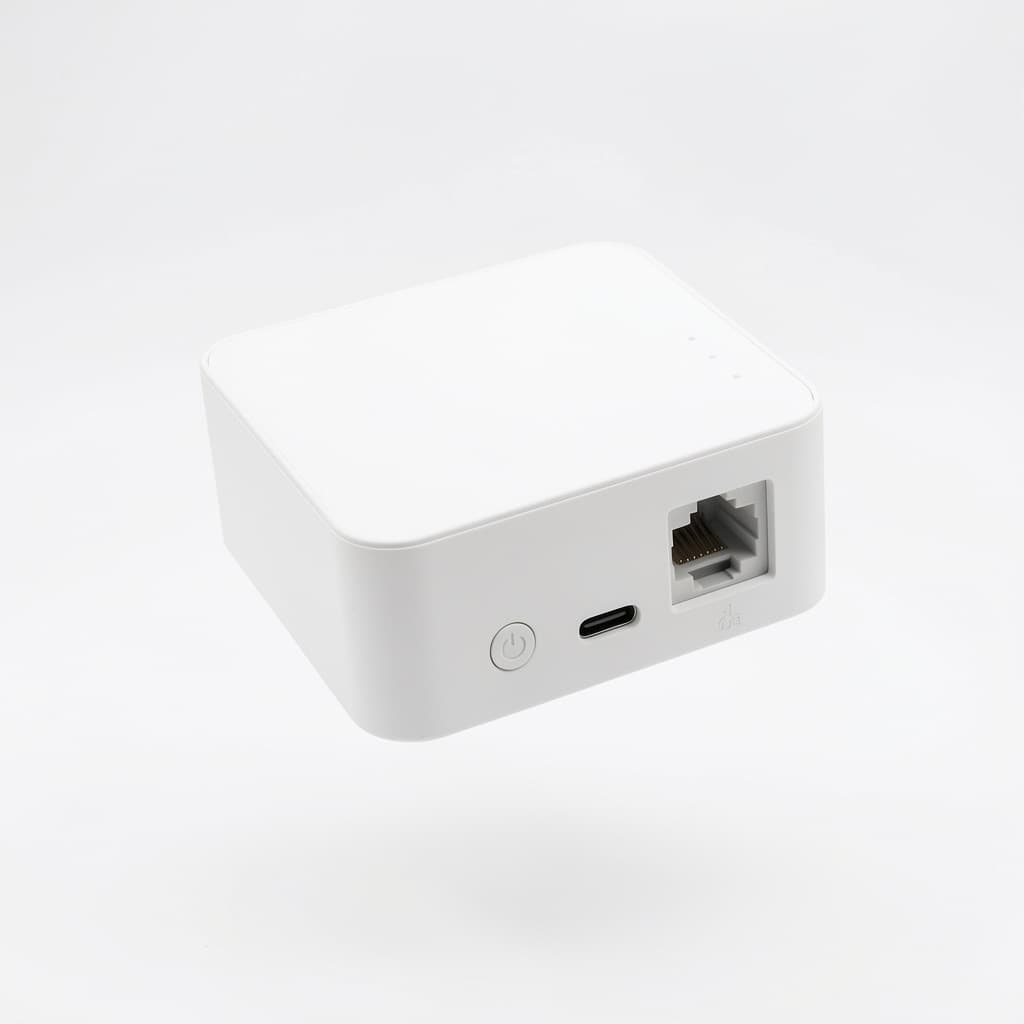
This is exactly the seam MESHLE sits on, and it's worth walking through what it lets you actually do. Keep the DALI-interfaced drivers you already spec, but carry their control over a Bluetooth Mesh instead of a wired bus. The MESHLE Gateway then bridges that mesh up into the building over REST, MQTT, Modbus TCP/IP, and BACnet™ — so a BMS or a KNX/BACnet™ head-end still sees and commands the lighting, only the wired DALI trunk between fixtures is gone. You keep DALI's addressing and feedback at the luminaire, drop the control cabling, and still integrate upward with the same building systems. For a large campus or multi-building estate, MESHLE Edge unifies many mesh networks behind one API instead of one gateway per line.
How DALI lighting control is commissioned
Commissioning is the step that turns a wired-up DALI line into a working system, and it's the same three moves every time:
- Address the drivers. A commissioning tool or app scans the line and assigns each driver a unique short address (0–63). Until this is done, the controller can only broadcast to all of them.
- Group the addresses. Sort the addressed drivers into groups that match how the space is used — a group per room, per zone, per row.
- Program the scenes. Define preset light levels and store them as scenes, so a single command sets the whole space to "meeting", "clean", or "off".
The addresses, groups, and scenes are stored in the drivers themselves, so the installation runs even if the commissioning device is disconnected. That's also why reconfiguring a DALI system is a software job, not a rewiring job.
Advantages and disadvantages of DALI
DALI buys you individual control and feedback, but it costs more and isn't the right tool for every job.
Advantages:
- Individual addressing — control any fixture on its own, without dedicated wiring per fixture.
- Two-way feedback — status and lamp-failure reporting you can act on and monitor.
- Reconfigurable in software — regroup and rescene without pulling cable.
- Interoperability — an open standard, so drivers, sensors, and controllers from different brands work together (and DALI-2 certification backs that up).
- Energy efficiency — precise per-fixture and daylight-linked control means light only where and when it's needed. Pair the addressable bus with presence-aware Swarm lighting and light follows people through a space instead of running full-on everywhere.
Disadvantages:
- Commissioning effort — someone has to address, group, and program the line. Analog 0–10V needs none of this.
- 64 devices per line — larger installations need multiple lines and a way to join them.
- Higher install cost — DALI drivers and controllers cost more than a plain analog dimming setup.
- Needs a DALI power supply — the bus requires its own PSU, an extra component to specify and install.
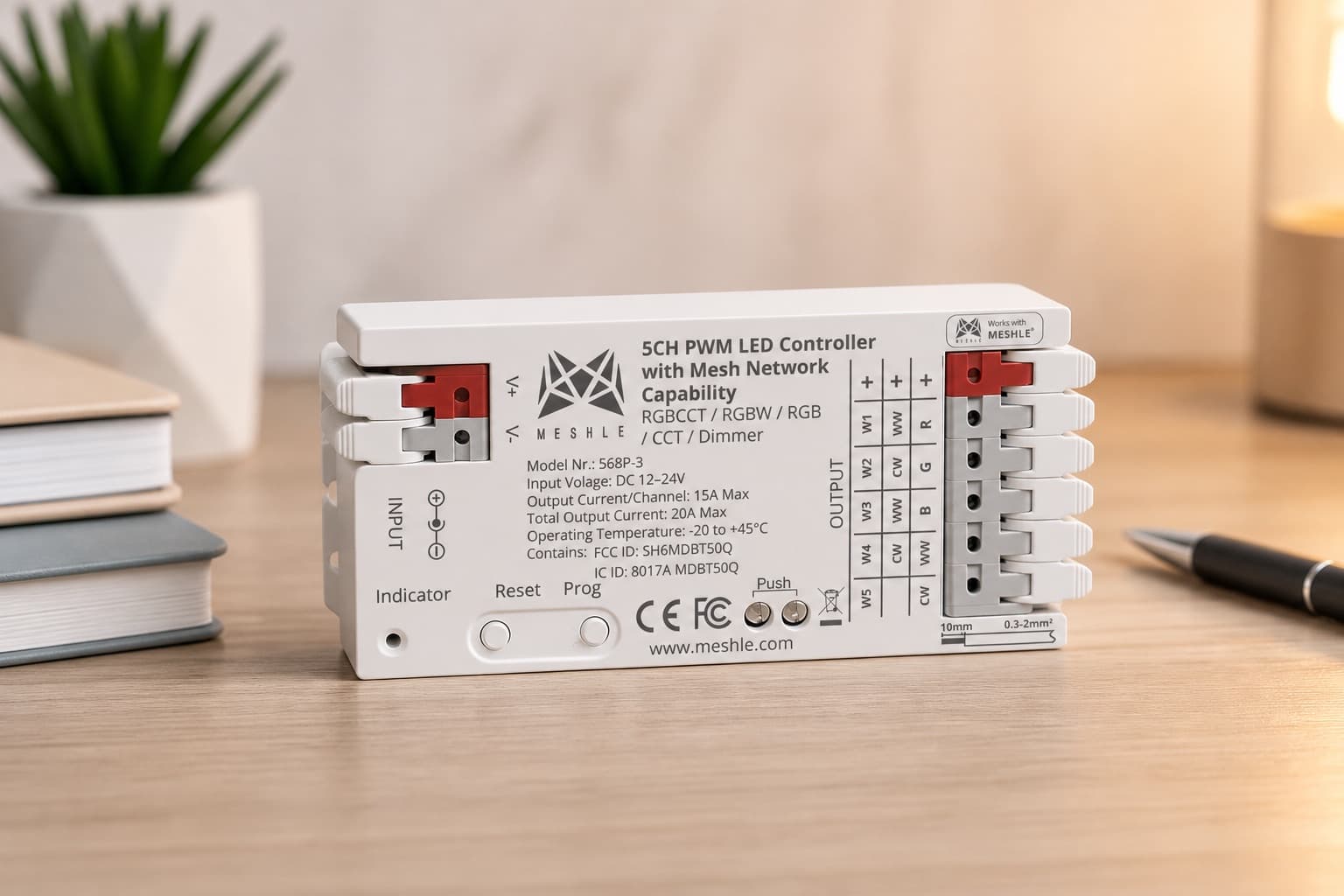
For a small single-zone job, analog often wins. For anything that needs individual control, feedback, or the flexibility to reconfigure later, DALI pays back the extra effort. If your DALI line also carries strip, downlights, or tunable-white fittings, the flex PRO 3 controller covers those loads on the same MESHLE Bluetooth Mesh, so a mixed estate stays on one system rather than splitting into DALI and non-DALI islands.
Can DALI lighting control go wireless?
Wired DALI has one structural cost: you have to pull the two-wire bus to every fixture you want to control. On a new build that's manageable. On a retrofit — an occupied office, a running warehouse, a building where opening the ceiling is expensive — it's the hard part. It's why industrial and warehouse retrofits so often reach for a wireless transport in the first place.
A wireless transport removes it. Instead of a physical bus, the DALI commands travel over radio, so you can retrofit an existing DALI line onto a wireless network or skip pulling new control wiring altogether. The addressing, groups, and scenes work the same way; only the transport changes.
MESHLE bridges DALI onto a self-healing Bluetooth Mesh: a small BLE-to-DALI adapter (the M1101 adapter) sits on the bus and commands the DALI drivers wirelessly — individual short-address or broadcast, up to eight addresses per node as a multichannel dimmer. It works with DALI-2 and D4i drivers. Because the mesh is self-healing, every node relays for its neighbours, so there's no single point of failure and no bus to pull between fixtures.
It also stays local. Scenes, groups, and schedules are stored on the mesh and run on the DALI bus itself, so the control loop runs locally with no cloud in it. When a building system needs the data, the MESHLE Gateway bridges upward to REST, MQTT, Modbus TCP/IP, and BACnet™ for the BMS — so wireless DALI at the fixture still integrates into the building above it.
If you're specifying DALI and weighing wired against wireless, that's the trade to understand: wireless DALI keeps DALI's addressing and feedback while removing the cable pull to every fixture. See how MESHLE runs DALI over a wireless Bluetooth Mesh for the full picture.
Related MESHLE products
The hardware behind everything above — the pieces you'd actually spec into a project like this.
Frequently asked questions
What is DALI lighting control, in plain terms?
DALI (Digital Addressable Lighting Interface) is an open standard for controlling light fixtures digitally. Instead of one analog voltage dimming a whole circuit, each driver gets a digital address, so you can dim, switch, and group individual fixtures over a single two-wire bus and read their status back.
How does DALI lighting control work?
A controller sends digital commands down a two-wire bus to DALI drivers built into the fixtures. Each driver has its own address, so the controller can talk to one fixture, a group, or all of them. Drivers act on the command and report their state back, giving the controller a live picture of the installation.
How do you program or commission a DALI system?
Commissioning has three steps: assign a short address to each driver on the line (0–63), sort those addresses into groups that match rooms or zones, then program scenes — preset light levels recalled with one command. A commissioning tool or app discovers the drivers, and the addresses, groups, and scenes are stored in the drivers themselves.
What are the disadvantages of DALI?
DALI costs more than analog 0–10V and needs commissioning — someone has to address and group the drivers, which analog does not require. Each line is limited to 64 addresses and needs its own DALI power supply. For a single room with one dimming zone, 0–10V is cheaper and simpler. DALI earns its cost on larger installations that need individual control and feedback.
What is the difference between DALI and KNX?
They operate at different levels. DALI is the lighting bus at the luminaire — it talks to drivers. KNX is a building bus that coordinates lighting, blinds, HVAC, and more across a whole building. They work together: a KNX–DALI gateway lets the building system command DALI lines. DALI is not an alternative to KNX; it sits underneath it.
How many devices can a DALI line control?
A single DALI line addresses up to 64 individual drivers, organized into up to 16 groups, with up to 16 stored scenes, plus a broadcast that commands every driver at once. Larger installations use multiple lines, each with its own address space, joined through a controller or building gateway.
DALI vs 0–10V — which should I use?
Use 0–10V when the job is simple: one dimming zone, low cost, no commissioning. Use DALI when you need to address fixtures individually, regroup them in software instead of re-wiring, or read status back. 0–10V is one-way analog; DALI is two-way digital. The right choice depends on how much control and flexibility the project needs.
What is the difference between DALI-1, DALI-2, and D4i?
DALI-1 was the original standard. DALI-2 added mandatory certification through the DALI Alliance and standardized input devices such as sensors and switches, which improved cross-brand compatibility. D4i is an extension that builds the data intelligence into the fixture: the driver carries its own data over the bus.
Can DALI lighting control be made wireless, and does it need the internet?
Yes. A wireless bridge carries DALI commands over radio instead of pulling a bus to every fixture, so you can retrofit an existing DALI line or skip new control wiring. And no — DALI itself needs no internet. With a system like MESHLE, control runs locally on the mesh and the DALI bus, with no cloud in the control loop.